
How a simple shot list and a little help from AI can make photography sessions more organized, creative, and less stressful.
A wedding day moves fast.
The dress is ready, the flowers have arrived, and everyone is getting pulled in different directions. Somewhere in the middle of it all are two wedding rings, a handwritten note, and the little details someone spent months choosing.
And those details? They're easy to overlook when everything starts happening at once.
That's one reason a photography shot list is so valuable.
Not because every moment needs to be planned, but because a little preparation gives you more freedom to be creative when it matters.
And this is one place where AI can actually be useful.
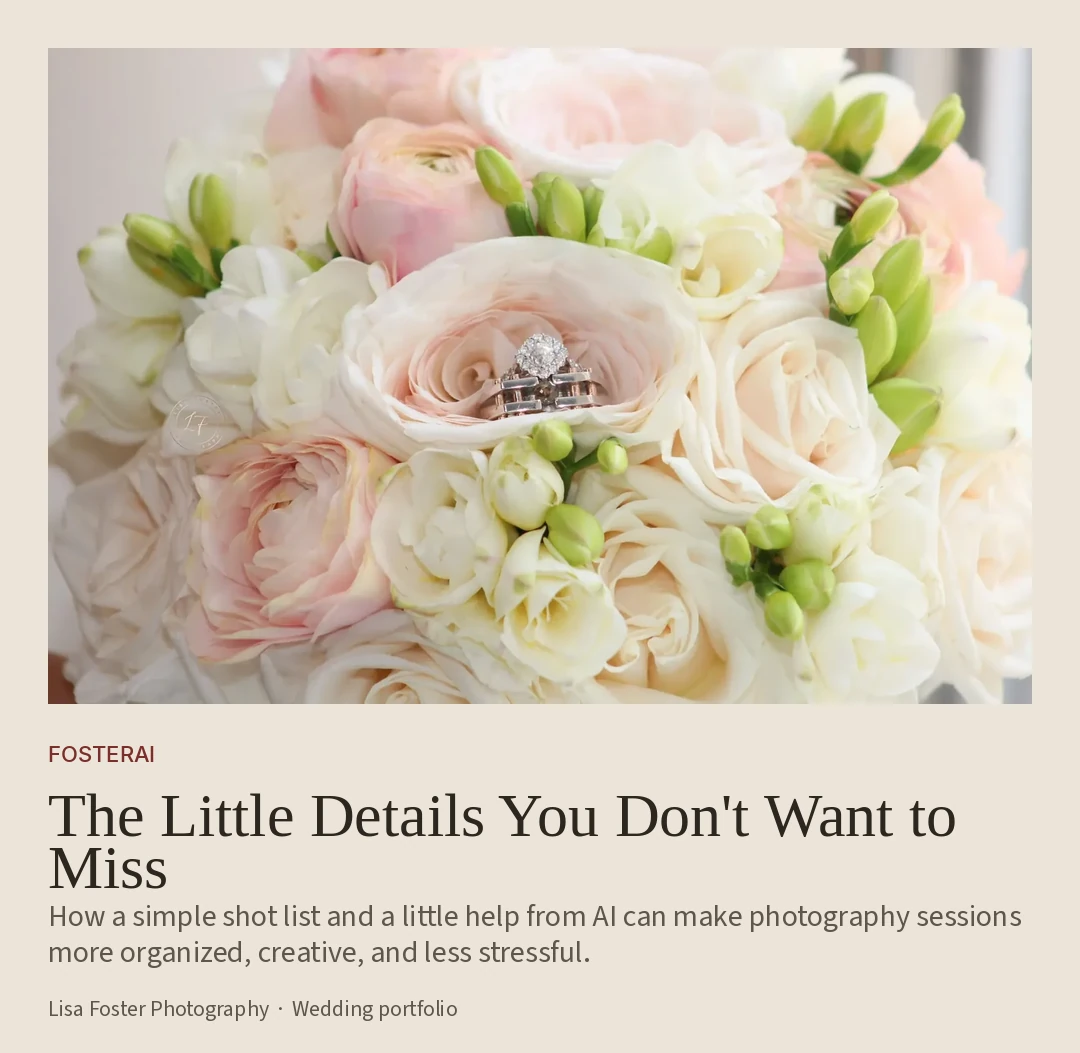
It's the little things that tell the story
We naturally think about the big photographs first.
The ceremony. The first kiss. The celebration.
But there's another side to photography that's just as meaningful.
The delicate embroidery on a dress. Wedding rings nestled into a bouquet. The invitation suite. The light catching a piece of jewelry.
Take the wedding-ring photograph above. The flowers, the rings, and the composition come together to capture a small part of a much bigger occasion.
A good shot list helps make sure those opportunities have a place in your plans.
And it doesn't have to be complicated.
Start with your ideas. Let AI organize them.
Imagine you're preparing for a wedding photography session.
You've already got a few details in mind:
Wedding rings, bouquet, invitations, dress details, getting-ready photographs, the reception space, and natural moments between family members.
You also know you'll have limited time for certain photographs.
Instead of trying to keep everything in your head, jot down your notes and let AI help organize them into a practical checklist.
Try this AI photography prompt
I'm preparing for a photography session and need help organizing my shot list.
Session type: [Wedding, portraits, family, event, nature, etc.]
My ideas: [Paste your notes.]
Available time: [Insert timeframe.]
Create a practical photography shot list organized into:
- Important details
- Wider scenes and compositions
- Natural and candid moments
- Optional creative ideas
Prioritize time-sensitive photographs and suggest up to three additional shots worth considering.
Keep the list realistic, easy to follow on my phone, and flexible enough for spontaneous moments. Clearly separate my ideas from your suggestions. Don't invent information about the session.
Now you've got something useful instead of a scattered list of ideas.
The best part? You can spend less time organizing and more time photographing.
Here's what your shot list might look like
The little details
- Wedding rings and jewelry
- Bouquet and floral arrangements
- Dress details, shoes, and accessories
- Invitations and meaningful keepsakes
The bigger picture
- The ceremony setting
- Reception details before guests arrive
- Wide photographs that capture the atmosphere
The moments in between
- Natural interactions during preparations
- Family members sharing a moment
- Candid expressions and unexpected details
Before the session: Confirm the timeline, which details will be available, and any photographs that are especially important to the client.
That's your starting point. Not a rigid schedule, just a reminder of what you don't want to forget.
Three ways to tell a story through photography
One of my favorite things about photography is how differently you can capture the same general subject.
A close-up can reveal a beautiful little detail. A wider photograph shows the surroundings. A candid image adds a completely different perspective.
Here are three examples from my wedding photography portfolio.
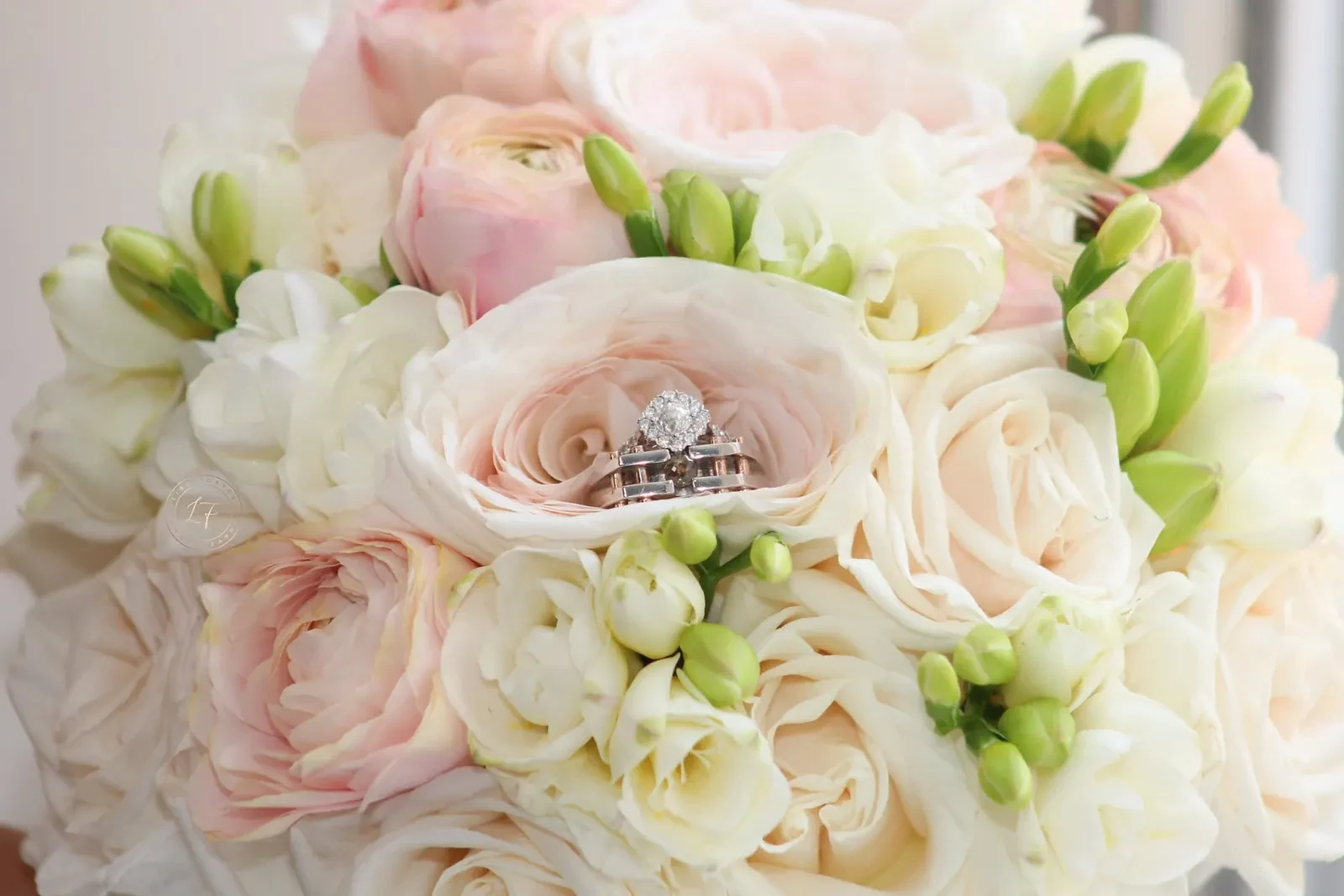
The detail. A bridal bouquet and wedding rings, photographed together.
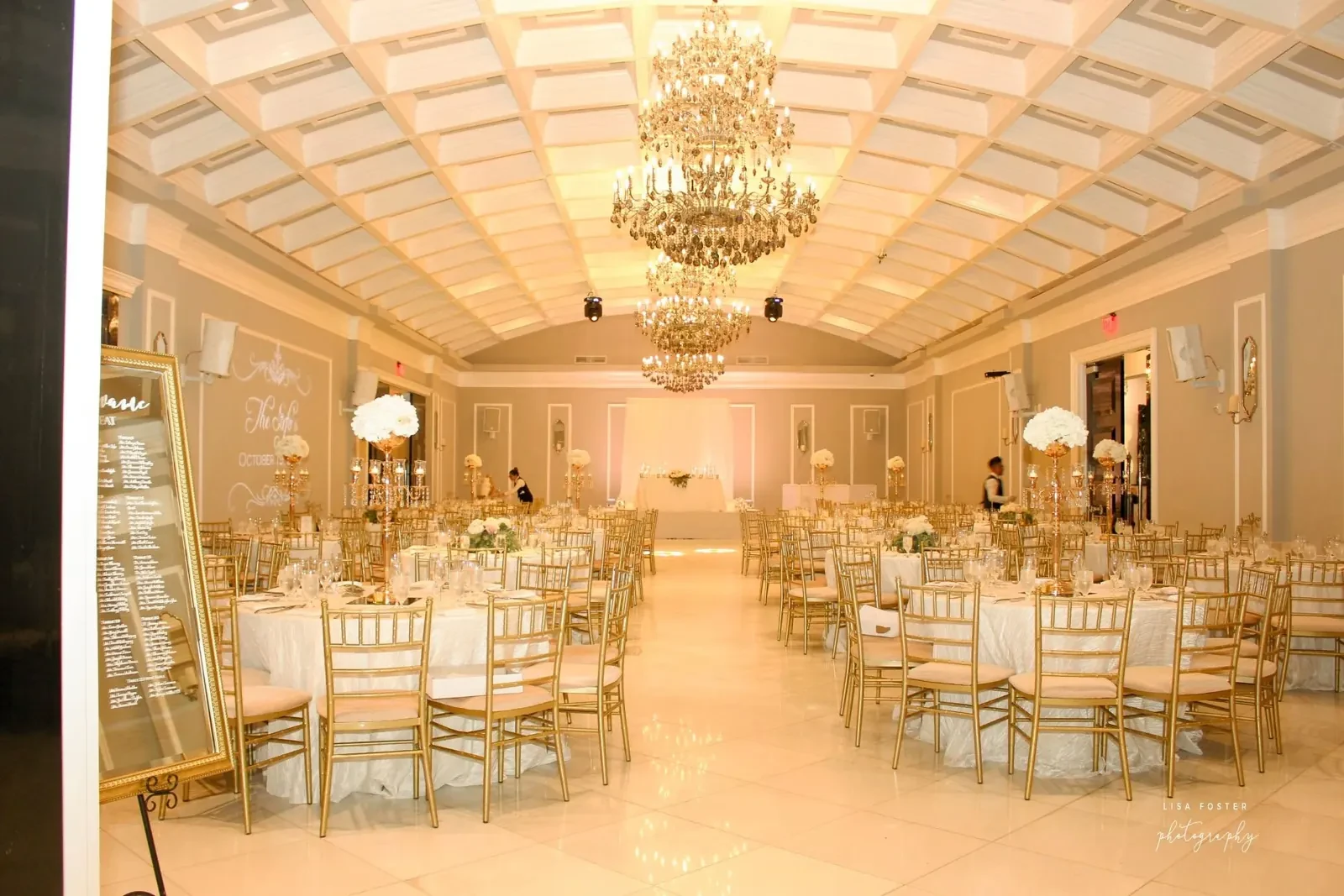
The setting. A wider view of a reception ballroom, showing the atmosphere and all the preparation behind it.
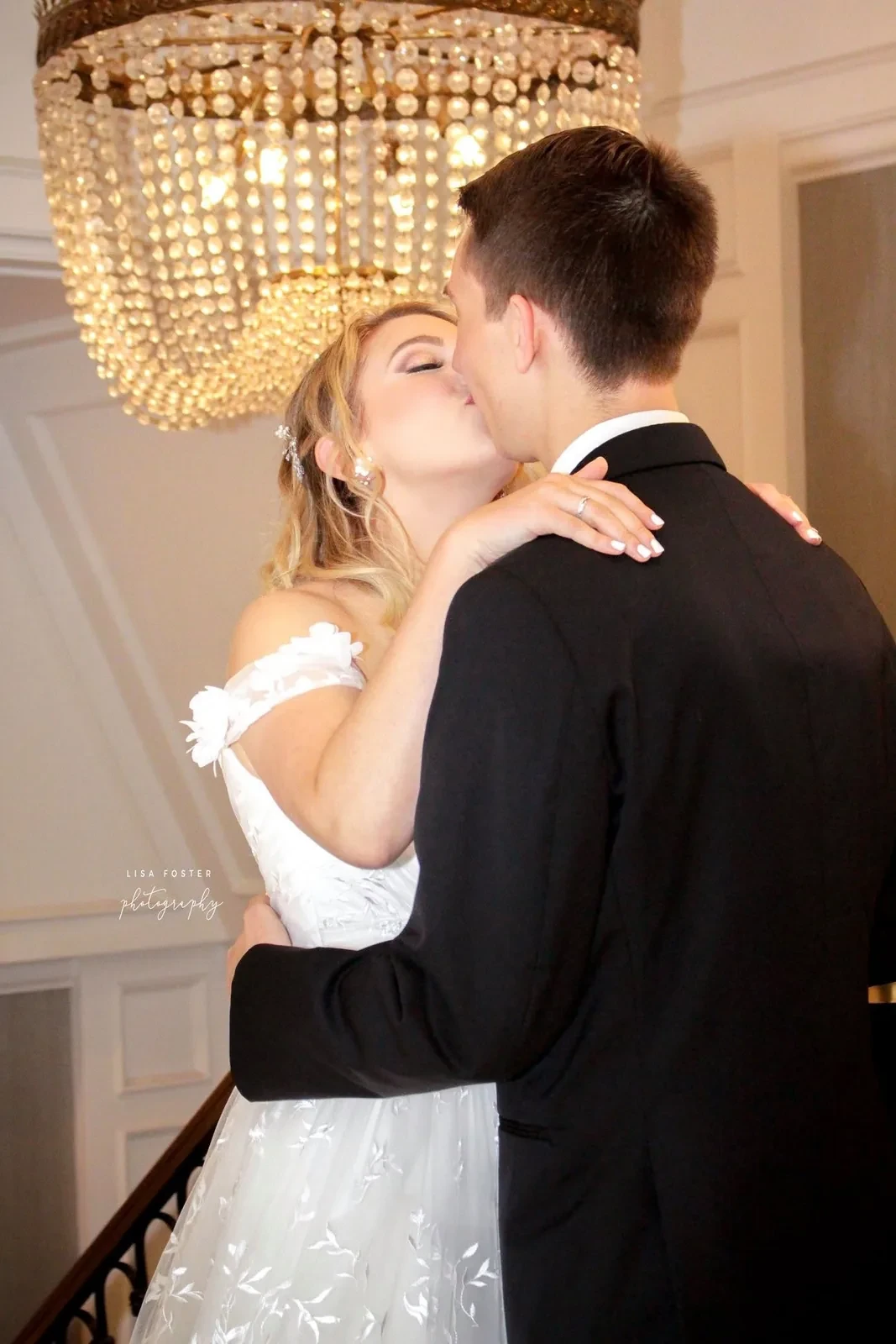
The moment. A photograph of a couple sharing a kiss beneath a chandelier.
These photographs are from separate wedding sessions. Together, they illustrate three different approaches to visual storytelling.
A thoughtful shot list makes room for all three approaches without restricting you to any one of them.
But don't let the checklist take over
Here's something worth remembering.
AI can suggest photographing wedding rings beside a bouquet. It can't know where the rings are, whether the flowers are available, or how the light looks in the room.
And it certainly can't decide which moment deserves your attention.
That's where your experience, creativity, and instincts come in.
Sometimes the photograph you never planned becomes the one you're happiest you captured.
Use AI for the organization. Leave the creativity to the photographer.
This works beyond wedding photography, too
The same approach can make almost any photography session easier to plan.
Family portraits: Organize group combinations, individual photographs, and candid interactions.
Nature photography: Plan for landscapes, close-up details, textures, and possible wildlife encounters.
Travel photography: Keep track of locations, landmarks, and interesting details you want to capture.
Product photography: Build a checklist of hero images, close-ups, and different angles.
You don't need an elaborate process. Just a few ideas, a little organization, and room for something unexpected.
Turn your photographs into something more
The creative process doesn't have to stop when the camera gets put away.
Once you've selected your favorite photographs, AI can help you organize them into a blog post, portfolio feature, or social media carousel.
Try this:
Help me organize these photographs into a short visual story.
I'll provide the images and my notes about each one.
Suggest an engaging title, a logical image sequence, and natural captions.
Use only the information I provide. Don't invent experiences, conversations, or emotions.
If the photographs are from different sessions, keep that distinction clear.
Make the result personal, interesting, and easy to read.
It's a simple way to turn a collection of images into something more meaningful.
Just remember to review the output, keep private client information out of tools that aren't approved for it, and make the final creative decisions yourself.
A little preparation goes a long way
The goal isn't to take hundreds of photographs or check every possible shot off a list.
It's to walk into a session feeling prepared enough to notice what matters.
AI can help organize your ideas, but the light, the composition, and the unexpected moments are still yours to discover.
And that's exactly how it should be.
Explore more from Lisa Foster Photography
If you enjoy photography that captures everything from the big picture to the smallest details, explore Lisa Foster Photography and browse my photography shop for available images and prints.
For more creative ways to bring photography and technology together, visit FosterAi.
Before your next session, try making a five-minute shot list. You might be surprised how much easier it makes the creative part.